
2. Course structure
Contents: The importance of a course structure; guidance on implementation.
Why is the structure of the course important?
ILIAS offers the option to design courses individually, according to the teacher’s preferences. However, this can also make it difficult to maintain clarity and ensure understanding. One student described this in the SHUFFLE student survey (January 2022):
All seminars and lectures have a completely different structure. Many are easy to follow, whilst others are very disorganised and confusing.
From the perspective of digital accessibility, it is therefore important to pay attention to the structure of the ILIAS course – a clear and well-organised ILIAS course not only benefits students with disabilities, but also makes it easier for all students to use ILIAS.
How do you structure your course?
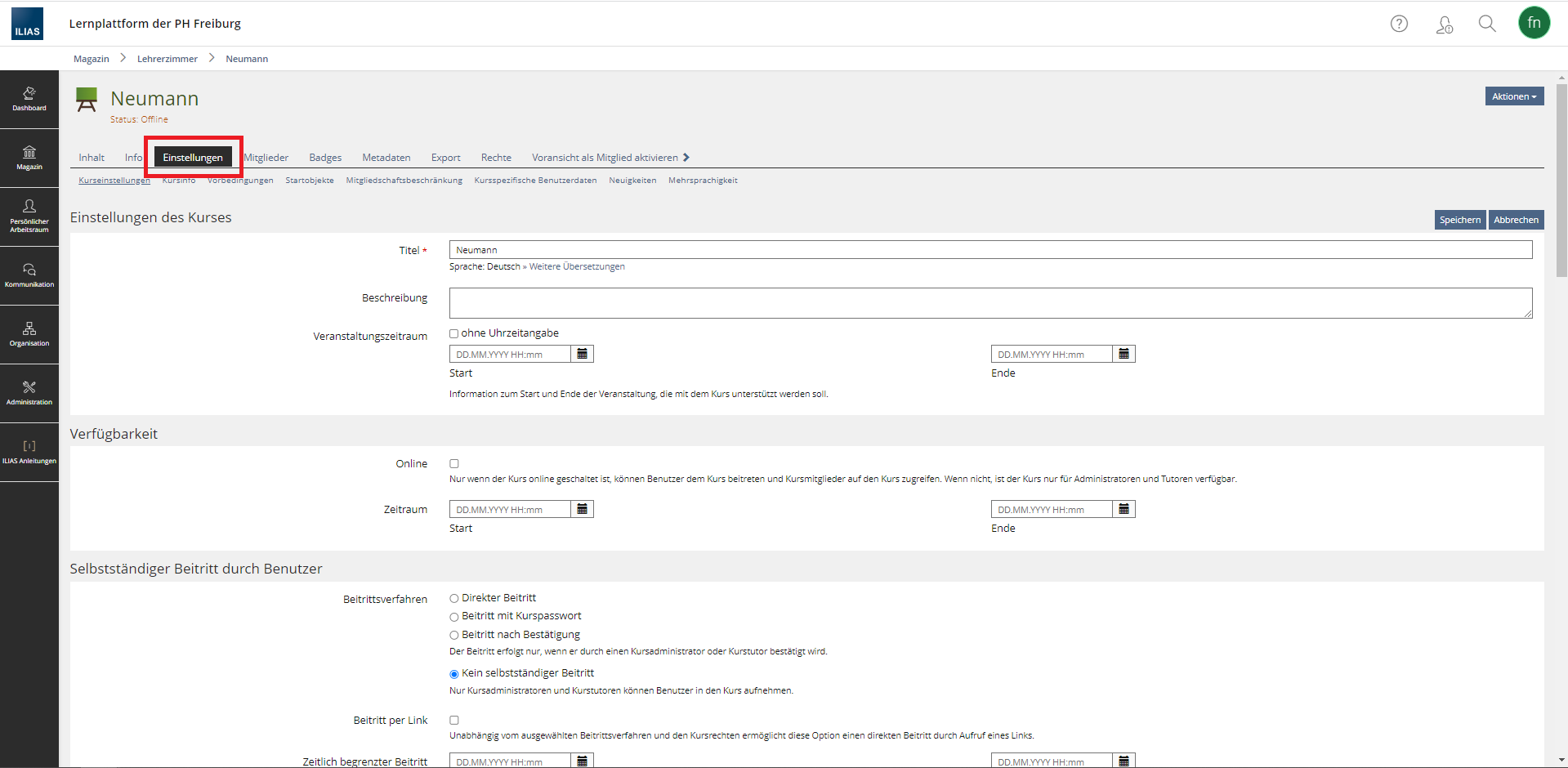 Fig. 1: A course’s settings menu.
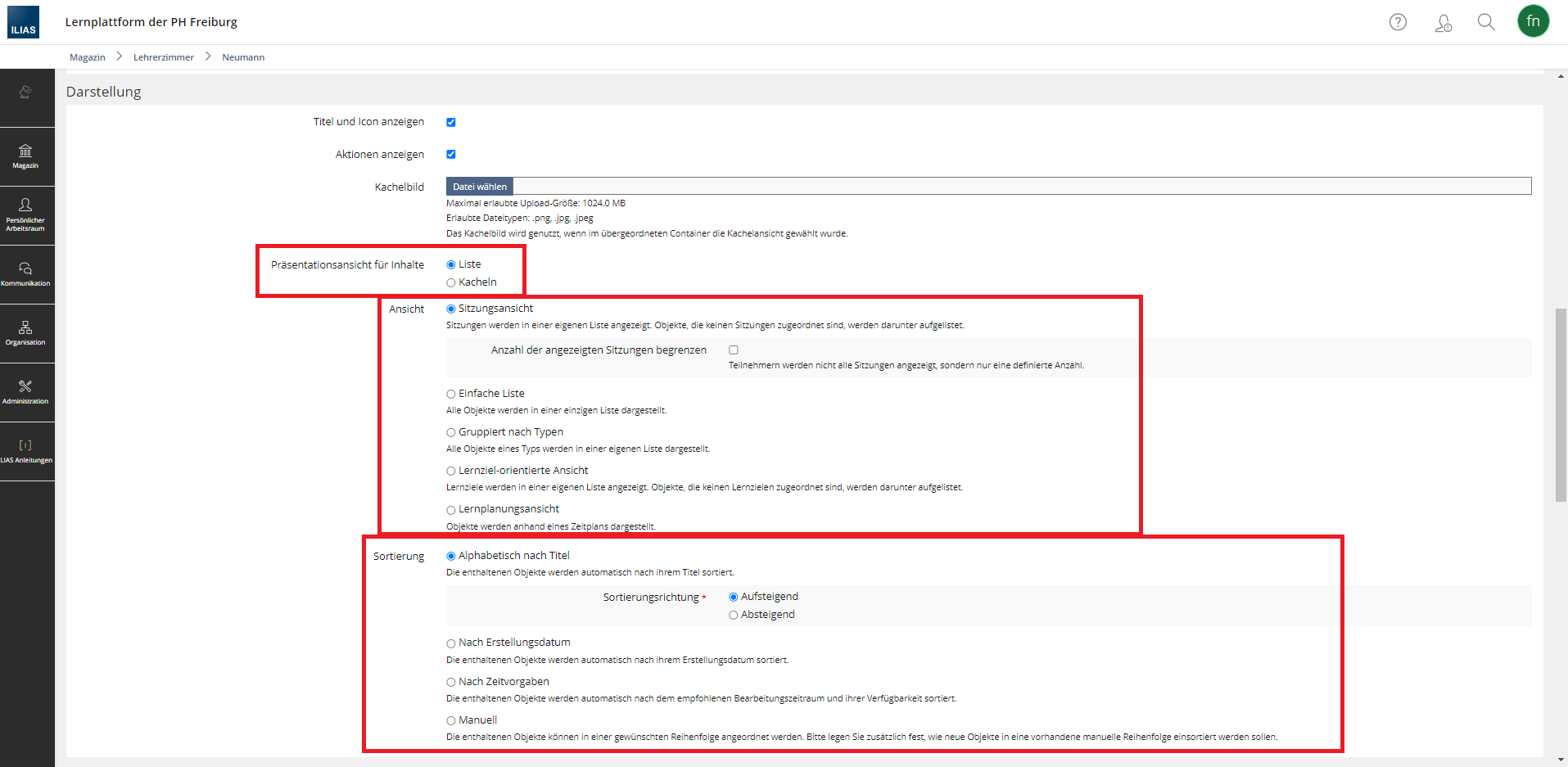 Fig. 2: Display options in the settings.
Presentation view
In the presentation view, you can choose whether the course content is displayed as tiles or as a list. Which display is more suitable depends on the individual needs of the students. Whilst some students find the tile view with images clear and appealing, others – such as neurodivergent students – may find the tile view overwhelming. One current issue with the programming of the tile view is that, instead of the image or tile, assistive technologies read out a URL, meaning it is not clear to users what lies behind the tile. For this reason, and with accessibility in mind, the list view is currently recommended.
View
Within the view itself, there are various ways in which the content can be organised. There is no universal recommendation regarding accessibility in this regard. Care should be taken to ensure that the view is clearly structured and easy to navigate.
- If, for example, the course room accompanies a lecture and contains the slides from the weekly lecture, a session view is a good option. Here, the individual sessions are displayed in a separate list.
- If the course room serves as a learning environment with tutorials, polls, glossaries and the like, a different view is more suitable. Here, for example, a simple list that users can sort themselves could be chosen.
- Grouping objects or content by type may be useful in some cases, but it is not necessarily clear if, for example, students have to select the correct survey themselves from a series of different surveys.
- In line with your pedagogical freedom, you can also choose a learning objective-oriented view or a learning plan view. In this case, care must be taken to ensure transparency and communication with students, so that they know what to do or which learning objectives must be achieved.
Sorting
Sorting can quickly lead to errors and, as a result, confusion. For example, items may be sorted by date, but the order in which they appear in the course may change. In this case, sorting would be more likely to cause confusion. It is therefore advisable to opt for manual sorting. This allows you to decide for yourself how the content is sorted and in what order it is displayed.
No comments to display
No comments to display