
4. Formatting: Lists
Contents: The importance of formatting bulleted lists; guidance on implementation.
Why are lists important?
Lists are used to present grouped information in a concise and clear manner. To ensure that assistive technologies recognise them as such, lists must be formatted accordingly.
How do you format lists?
Bulleted lists or numbered lists should always be formatted as such, rather than simply being represented in the text by "1.2.3." or indents.
To format lists, select the "Design page" button (see Fig. 1), click on the plus sign and select "Insert text" (see Fig. 2).
If you have already created a text box containing a list, click on the relevant text box once you have opened edit mode.
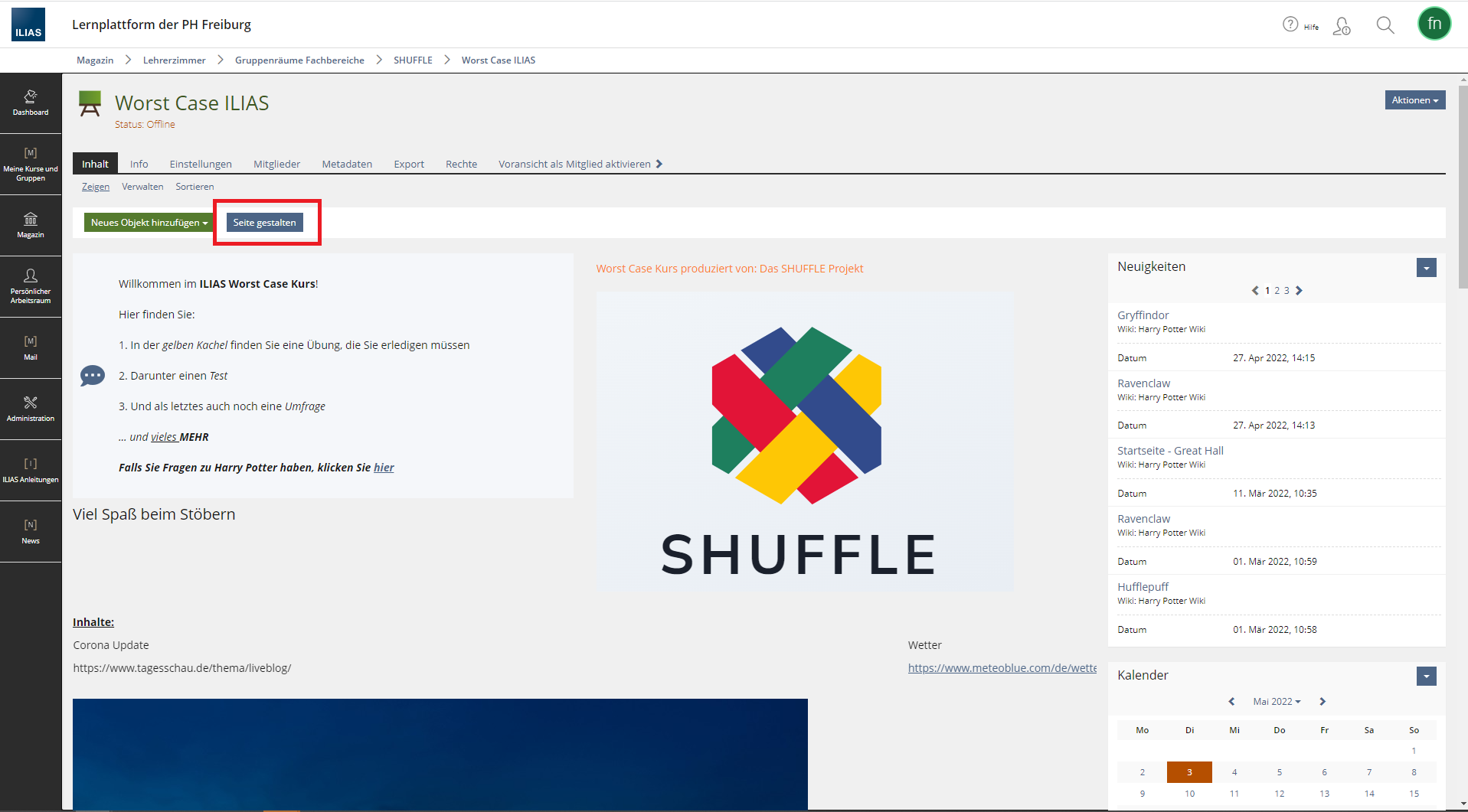 Fig. 1: Designing a page in an ILIAS course room.
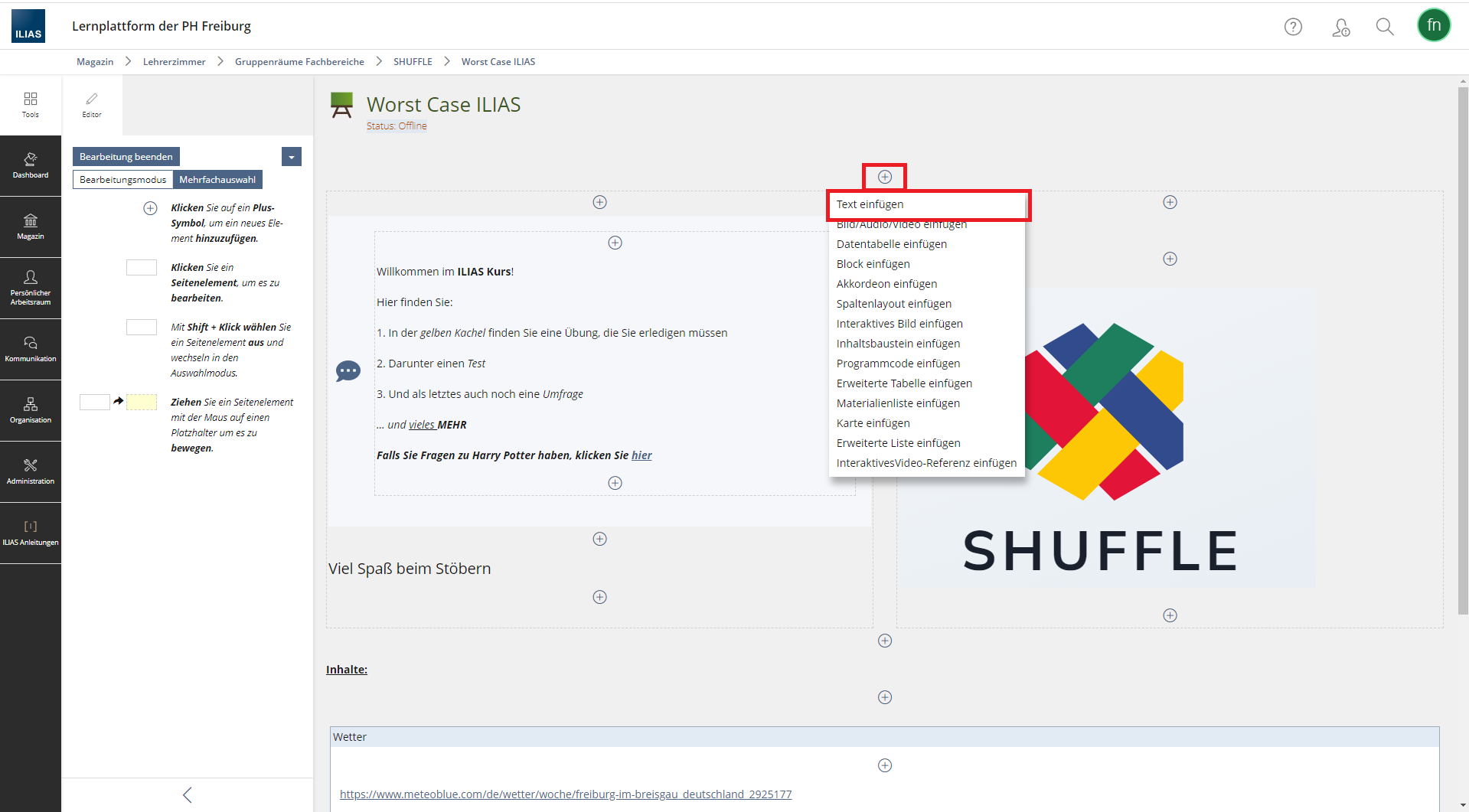 Fig. 2: Adding text in the ILIAS course room.
In the text box, the text editor opens on the left-hand side (see Fig. 3). There, under the "List" section, you will find various list options. Click on them to format the list or to add a list item.
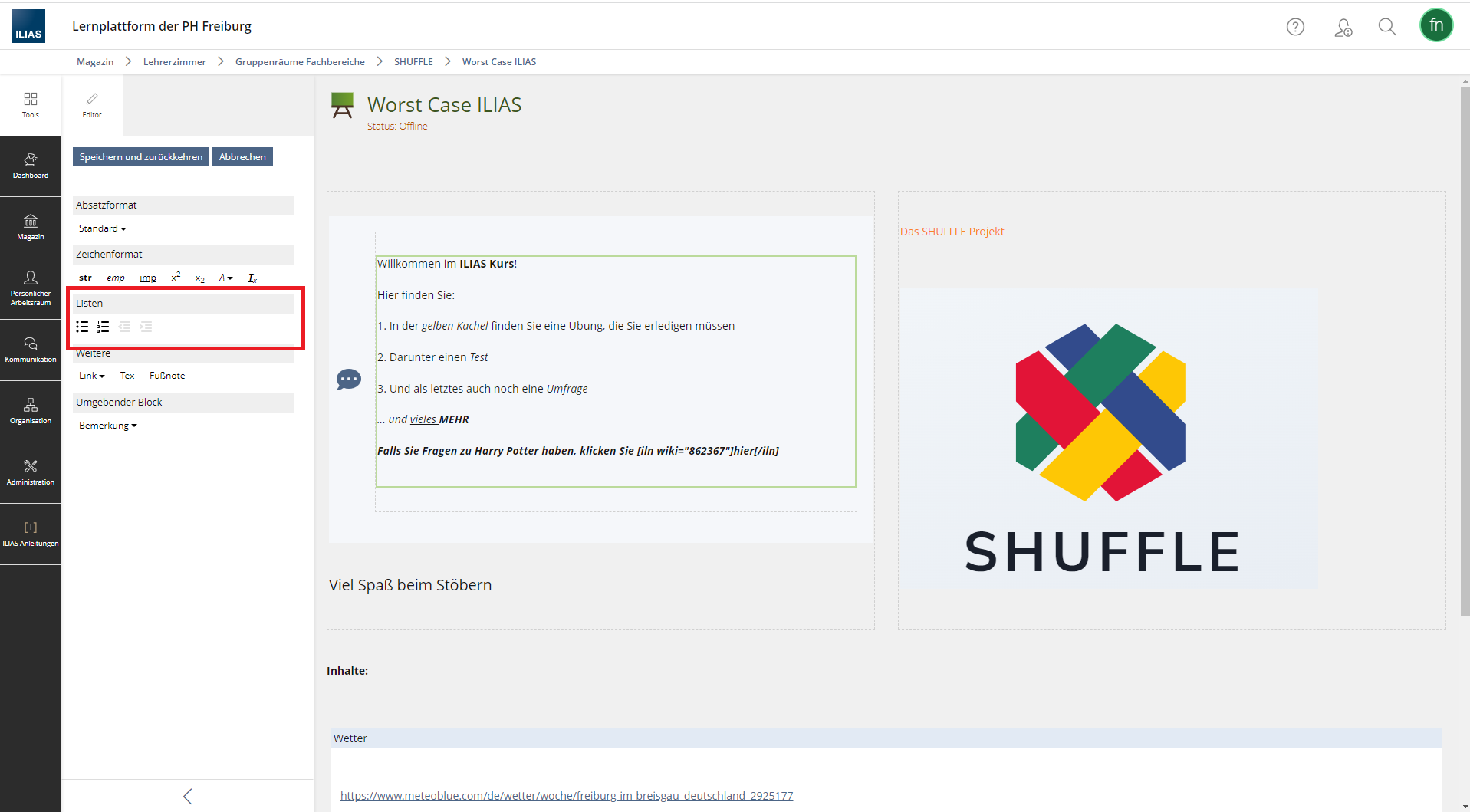 Fig. 3: The ILIAS course room’s text editor.
No comments to display
No comments to display